
New · Scores & Sharing
Share buttons on the home screen
Send Fly Kai Tak to a friend from the home screen: X, Facebook, Reddit, WhatsApp, Threads, email or a copied link.
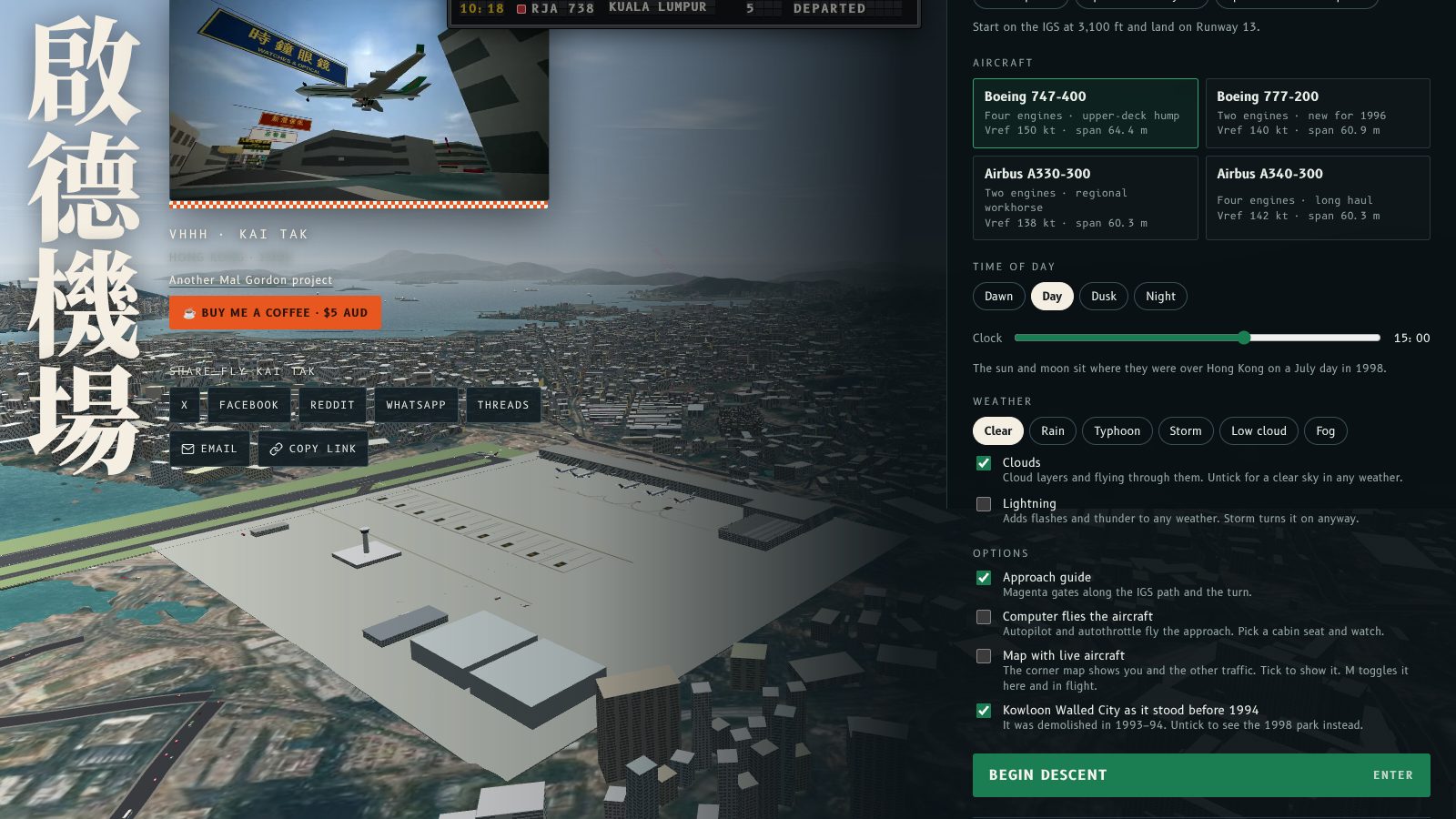
The home screen now has share buttons, so you can send Fly Kai Tak to a friend without leaving the menu.
Share from the home screen
Under the demo reel there is a new Share Fly Kai Tak row: X, Facebook, Reddit, WhatsApp, Threads, Email and Copy link. Each one opens with a short line about the game and a link to flykaitak.com. On phones and browsers that support it, a Share… button opens the system share sheet too.
The text and the button labels follow the EN / 粵 button, so the message goes out in English or Cantonese. Each link carries a different utm_source, so shares are counted by network.
Try this
Open the home screen, press Copy link and paste it into a chat. After a flight, the report card has its own share buttons too.
主畫面而家有分享掣,唔使離開選單就可以將 Fly Kai Tak 介紹畀朋友。
喺主畫面分享
示範短片下面多咗一排 分享 Fly Kai Tak:X、Facebook、Reddit、WhatsApp、Threads、電郵同複製連結。每個掣都會帶一句遊戲簡介同 flykaitak.com 連結。手機同支援嘅瀏覽器仲有「分享…」掣,可以開系統分享選單。
文字同掣名會跟住 EN / 粵 掣轉,所以訊息可以用英文或者廣東話發出。每條連結都有唔同嘅 utm_source,咁就可以按網絡計分享次數。
試吓
打開主畫面,㩒 複製連結,然後貼入聊天室。飛完之後,成績表都有自己嘅分享掣。
More from the blog

Update: starter scores on the high score table
Fly Kai Tak update: the high score table now starts with ten fictional, easy-to-beat scores, from 58 down to 15.
Read the post →
Update: a High scores button on the home screen
Fly Kai Tak update: a High scores button on the home screen opens and closes the table of ranked landings, from Captain down to Cadet.
Read the post →