
Feature
An inverted yoke for touch and mouse: drag down to pull up
The on-screen yoke now works like a real control column: drag down to pull the nose up, drag up to push it down, with touch or a mouse.
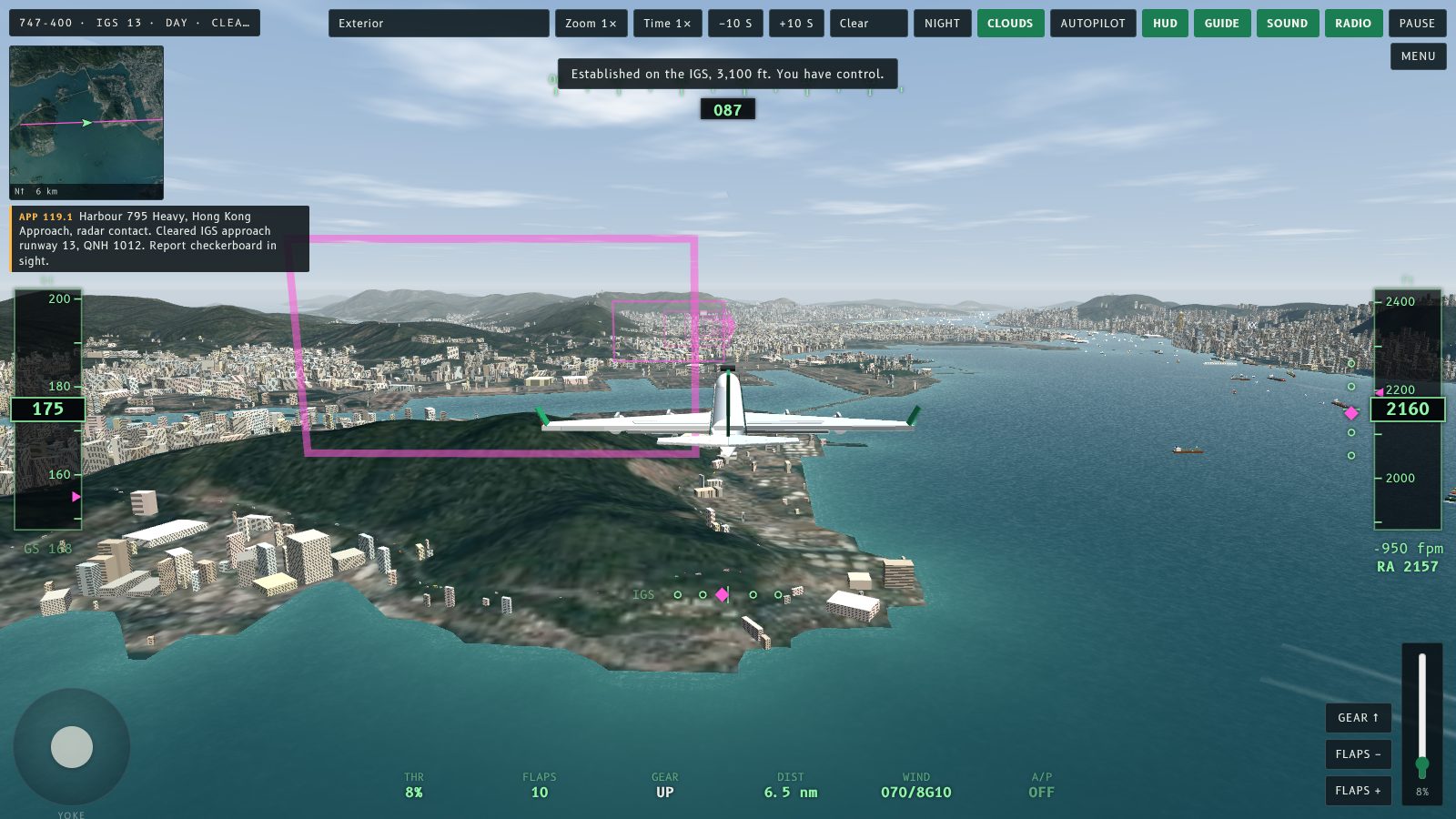
The on-screen yoke now works like a real control column. Drag down to pull the nose up, drag up to push it down. Before, it was the other way round.
What changed
A yoke is pulled back to climb and pushed forward to descend. On the screen, "back" is toward you, which is down. The yoke now follows that: dragging the knob down raises the nose, and dragging it up lowers it. Dragging sideways still rolls, as before.
Touch and mouse
There is one yoke for both. On a phone or tablet you drag it with a finger. On a computer you click and drag it with the mouse. Both use the same direction, and it now matches the keyboard: the down arrow (or S) pulls the nose up, and the up arrow (or W) pushes it down.
If you flew with the old direction, expect to pull the other way. Pull back gently in the flare, and drag down a little at about 150 kt to rotate on take-off.
What did not change
- The autopilot, thrust and flaps behave as before.
- Flying with no input still ends in a crash, and the autopilot still lands in every weather preset.
- The Controls list on the setup screen now describes the yoke direction.
螢幕上嘅操縱桿而家好似真正嘅操縱柱:向下拖就拉起機頭,向上拖就壓低機頭。之前係相反嘅。
改咗啲乜
操縱桿係拉後就爬升、推前就下降。喺螢幕上,「後」就係向住你,亦即係向下。操縱桿而家跟呢個方向:將圓鈕向下拖會抬高機頭,向上拖就壓低機頭。橫向拖仍然係橫滾,同以前一樣。
觸控同滑鼠
兩者共用同一支操縱桿。手機或平板用手指拖;電腦就用滑鼠㩒住拖。兩者方向一致,而且而家同鍵盤吻合:下箭咀(或 S)拉起機頭,上箭咀(或 W)壓低機頭。
如果你習慣咗舊方向,要記得拉相反方向。拉平嗰陣輕輕拉;起飛嗰陣喺約 150 節向下拖少少就可以抬頭。
冇改變嘅嘢
- 自動駕駛、推力同襟翼嘅表現同之前一樣。
- 唔操作仍然會撞機,而自動駕駛喺所有天氣預設都會降落。
- 設定畫面嘅「操作」列表而家已經說明操縱桿嘅方向。
More from the blog
The airlines and aircraft of Kai Tak
A guide to the airlines and aircraft types at Kai Tak in the 1990s: Cathay Pacific, Dragonair, Qantas, BA, Singapore, Thai and JAL, with brief histories.
Read the post →
Other aircraft now bank the right way
Fly Kai Tak fix: other aircraft were drawn banking the wrong way in turns. Arrivals and departures now dip the inside wing, as real jets do.
Read the post →